Claude Code Notifications
Claude Code can now run autonomously for quite a long time in the background while I do other things. I need a way to let Claude get my attention when it needs help or is finished.
Claude Code supports hooks, which can run shell commands automatically in response to events during a session. I'm mainly interested in two of them:
- Stop - fires when Claude finishes and is waiting for your next input
- Notification - fires when Claude sends a notification, usually when it needs permission to run a tool
Hooks are configured in ~/.claude/settings.json.
On My MacBook
On my MacBook I use afplay to play text-to-speech audio files that I generated with the macOS say command:
say -v Samantha -o ~/.claude-code/sounds/done.aiff "Done"
say -v Samantha -o ~/.claude-code/sounds/help.aiff "Help"
Here's the hooks configuration:
{
  "hooks": {
    "Stop": [
      {
        "hooks": [
          {
            "type": "command",
            "command": "afplay ~/.claude-code/sounds/done.aiff"
          }
        ]
      }
    ],
    "Notification": [
      {
        "hooks": [
          {
            "type": "command",
            "command": "afplay ~/.claude-code/sounds/help.aiff"
          }
        ]
      }
    ]
  }
}
On My VPS
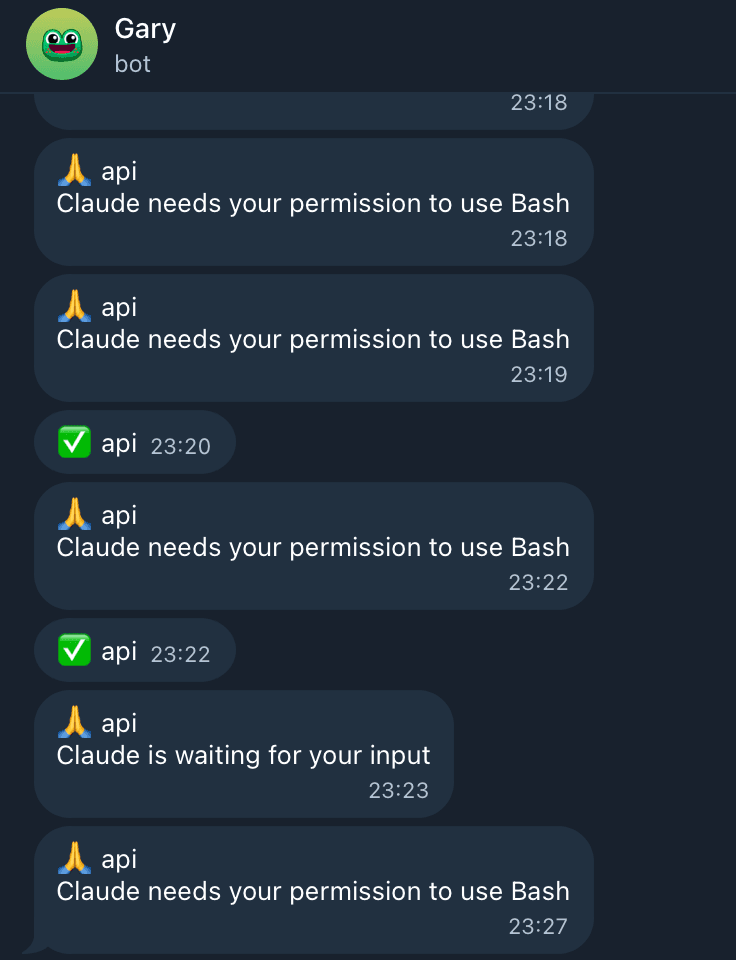
On my VPS I can't play audio since I'm connected over SSH, so instead I get a message on Telegram:
{
  "hooks": {
    "Stop": [
      {
        "hooks": [
          {
            "type": "command",
            "command": "jq -r '"✅ " + (.cwd | split("/") | last)' | xargs -I{} curl -s -X POST 'https://api.telegram.org/bot<TOKEN>/sendMessage' -d 'chat_id=<CHAT_ID>&text={}'"
          }
        ]
      }
    ],
    "Notification": [
      {
        "hooks": [
          {
            "type": "command",
            "command": "jq -r '"🙏 " + (.cwd | split("/") | last) + "\n" + .message' | xargs -0 -I{} curl -s -X POST 'https://api.telegram.org/bot<TOKEN>/sendMessage' -d 'chat_id=<CHAT_ID>' --data-urlencode 'text={}'"
          }
        ]
      }
    ]
  }
}
Hooks receive JSON on stdin with context about the event. For example, the Stop hook receives:
{
  "session_id": "eb5b0174-0555-4601-804e-672d68069c89",
  "transcript_path": "/Users/will/.claude/projects/.../eb5b0174.jsonl",
  "cwd": "/Users/will/projects/my-project",
  "hook_event_name": "Stop",
  "stop_hook_active": false
}
And the Notification hook receives:
{
  "session_id": "eb5b0174-0555-4601-804e-672d68069c89",
  "transcript_path": "/Users/will/.claude/projects/.../eb5b0174.jsonl",
  "cwd": "/Users/will/projects/my-project",
  "hook_event_name": "Notification",
  "message": "Claude needs your permission to use Bash"
}
I use jq to extract the project name from .cwd (grabbing the last path segment), and for notifications, the .message as well. Then curl sends it to the Telegram Bot API.